رتب أفكارك. ابنِ قاعدة معرفتك الشخصية.

تريليوم هو حل مفتوح المصدر لتدوين الملاحظات وتنظيم قاعدة المعرفة الشخصية. استخدمه محليًا على جهاز الكمبيوتر الخاص بك، أو قم بمزامنته مع خادمك المستضاف ذاتيًا للاحتفاظ بملاحظاتك أينما كنت.

AGPL-3.0 licensedNo account neededWorks offline

تنظيم
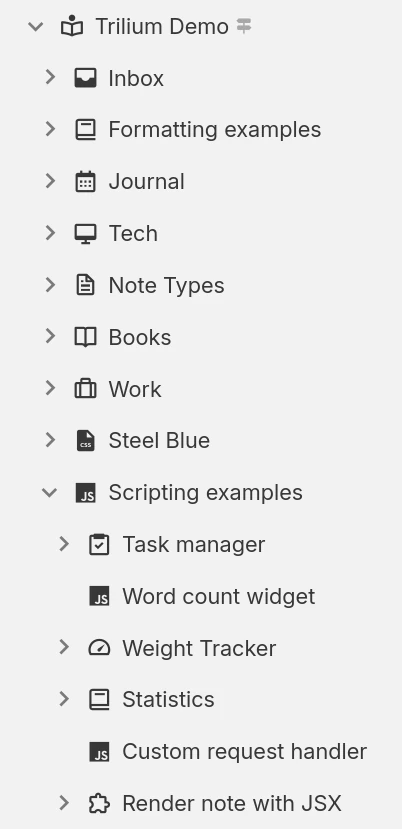
Hierarchical note tree in Trilium

هيكيلية الملاحظة

يمكن تنظيم الملاحظات بشكل هرمي. لا حاجة للمجلدات، إذ يمكن أن تحتوي كل ملاحظة على ملاحظات فرعية. ويمكن إضافة الملاحظة الواحدة في عدة مواضع ضمن التسلسل الهرمي.

العلاقات وجداول الملاحظة

استخدم العلاقات بين الملاحظات أو أضف تصنيفات لتسهيل عملية التصنيف. استخدم السمات المُروَّجة لإدخال معلومات مُهيكلة يمكن استخدامها في الجداول واللوحات.

مساحات العمل والتركيز على الملاحظة

يمكنك بسهولة فصل ملاحظاتك الشخصية وملاحظات العمل عن طريق تجميعها ضمن مساحة عمل، مما يركز شجرة الملاحظات الخاصة بك لعرض مجموعة محددة من الملاحظات فقط.

الانتاجية والسلامة

‎المزامنة

استخدم نسخة مستضافة ذاتيًا أو نسخة سحابية لمزامنة ملاحظاتك بسهولة عبر أجهزة متعددة، وللوصول إليها من هاتفك المحمول باستخدام تطبيق ويب تقدمي (PWA).

البحث القوي

أو ابحث عن نص داخل الملاحظات وضيّق نطاق البحث عبر التصفية حسب الملاحظة الرئيسية، أو حسب مستوى التفرع.

مراجعات الملاحظة

تُحفظ الملاحظات دوريًا في الخلفية، ويمكن استخدام التعديلات للمراجعة أو للتراجع عن التغييرات غير المقصودة. كما يمكن إنشاء التعديلات عند الطلب.

الملاحظات المحمية

احمِ معلوماتك الشخصية الحساسة عبر تشفير الملاحظات وقفلها خلف جلسة محمية بكلمة مرور.

Templates

Define reusable note templates with a preset structure, attributes and content, then create new notes from them in a click.

اداة قص الويب

اقتبس صفحات الويب (أو لقطات الشاشة) وضعها مباشرة في Trilium باستخدام إضافة المتصفح مقص الشبكة (Web Clipper).

Share notes on the web

If you have a server, publish any subtree of your notes as a public, read-only website that anyone can browse without an account.

Secure sign-in

Protect your server login with multi-factor authentication (TOTP), or sign in through your identity provider with OpenID Connect.

REST API

Read, create and update your notes programmatically over HTTP with Trilium's built-in REST API, ideal for automations and third-party integrations.

طرق متعددة لعرض معلوماتك

Not everything fits neatly into a paragraph. Trilium offers a range of note types, from rich text and code to spreadsheets, diagrams and mind maps, so you can capture each idea in the form that suits it best and mix them freely throughout your tree.
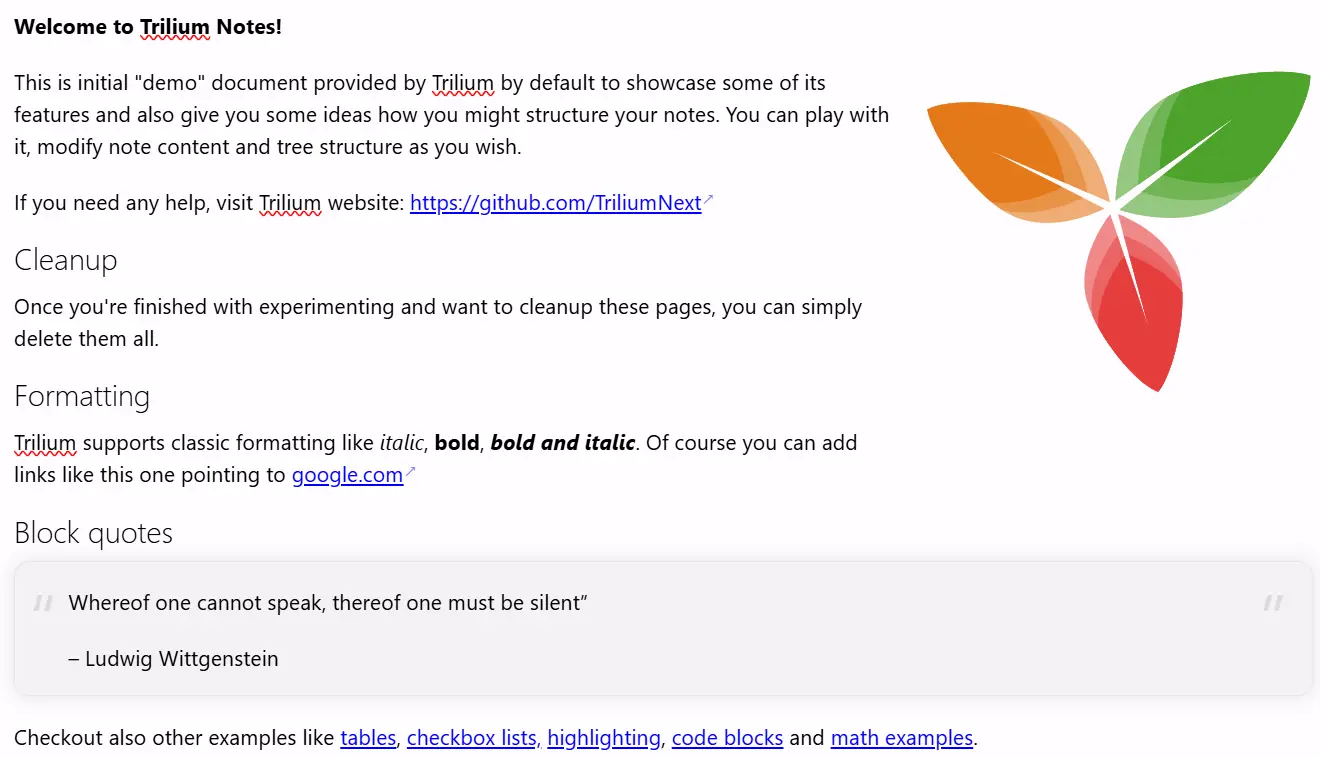
ملاحظات النص

ملاحظات النص

يتم تحرير الملاحظات باستخدام محرر مرئي (WYSIWYG)، مع دعم للجداول، والصور، والعبارات الرياضية، وكتل التعليمات البرمجية مع تمييز بناء الجملة. يمكنك تنسيق النص بسرعة باستخدام قواعد "Markdown" أو عبر أوامر الشرطة المائلة (slash commands).

Your notes are never locked in

Your notes are yours to move freely. Bring them in from other apps, take them back out in open formats, or turn them into polished documents, whenever you like.

Import

Pull your notes in from other apps with their structure intact, or import standard Markdown, HTML and OPML files.
Imports directly from

Export

Take any note or your entire tree back out in an open, portable format at any time:
  • Markdown for portable plain text
  • HTML for self-contained pages
  • OPML for outlines

Print to PDF

Turn your notes into a polished, book-like PDF:
  • A single note
  • An entire subtree, kept in order
  • Ready to print or share

المجموعات

Collections give a group of notes a purpose-built view. Display the very same notes as a calendar, a table, a Kanban board, an interactive map and more, then switch between layouts whenever your needs change.
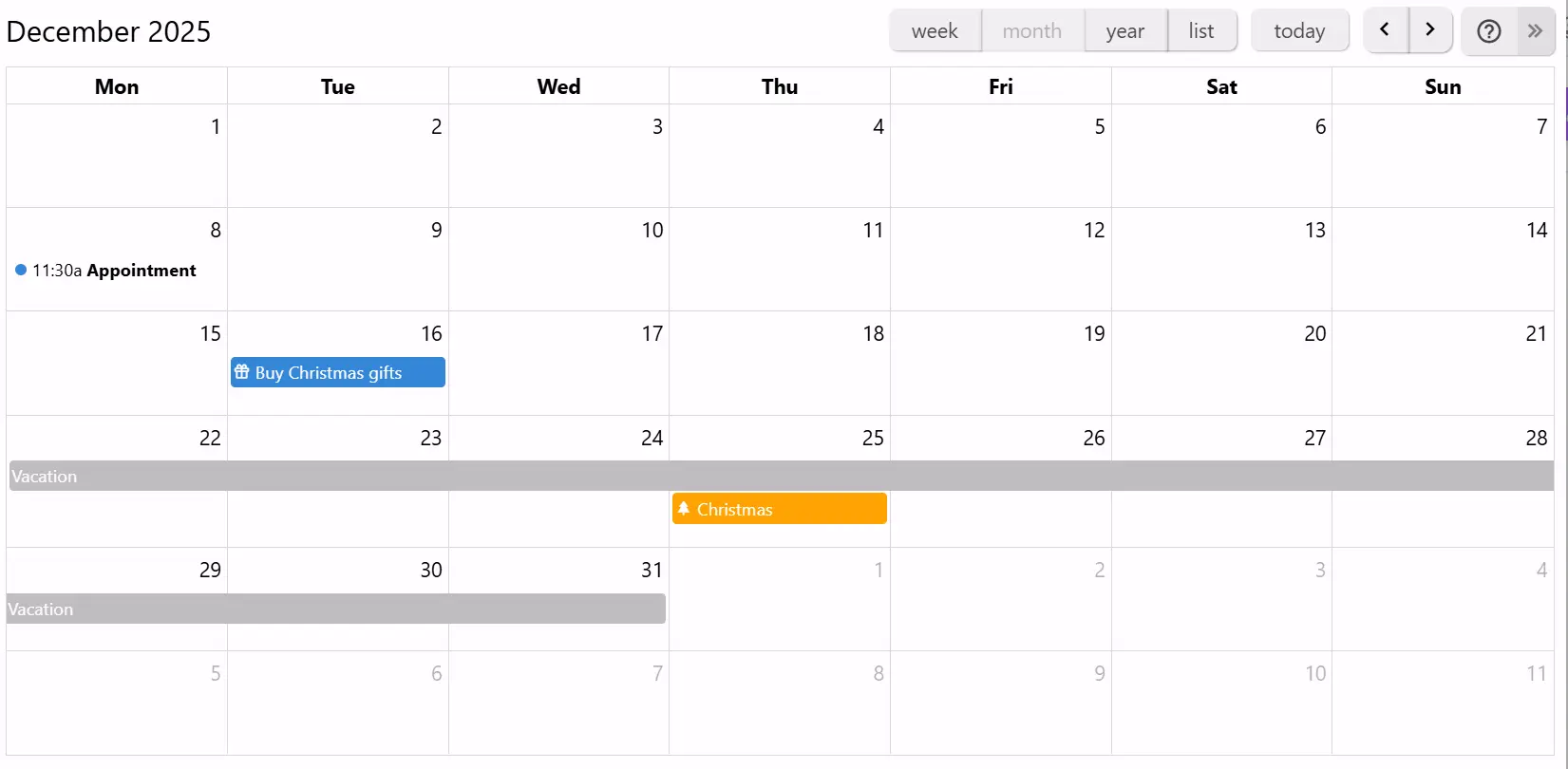
التقويم

التقويم

نظّم أحداثك الشخصية أو المهنية باستخدام التقويم، مع دعم الأحداث ليوم كامل أو لعدة أيام. اعرض أحداثك بسرعة عبر عرض الأسبوع أو الشهر أو السنة. سهولة في إضافة الأحداث أو سحبها وتعديلها.

If you can imagine it, you can script it

Trilium isn't just a place to store notes, it's programmable. Write JavaScript that runs in the app or on the server, build your own interface, and automate your workflows, from a one-line tweak to a full custom app.
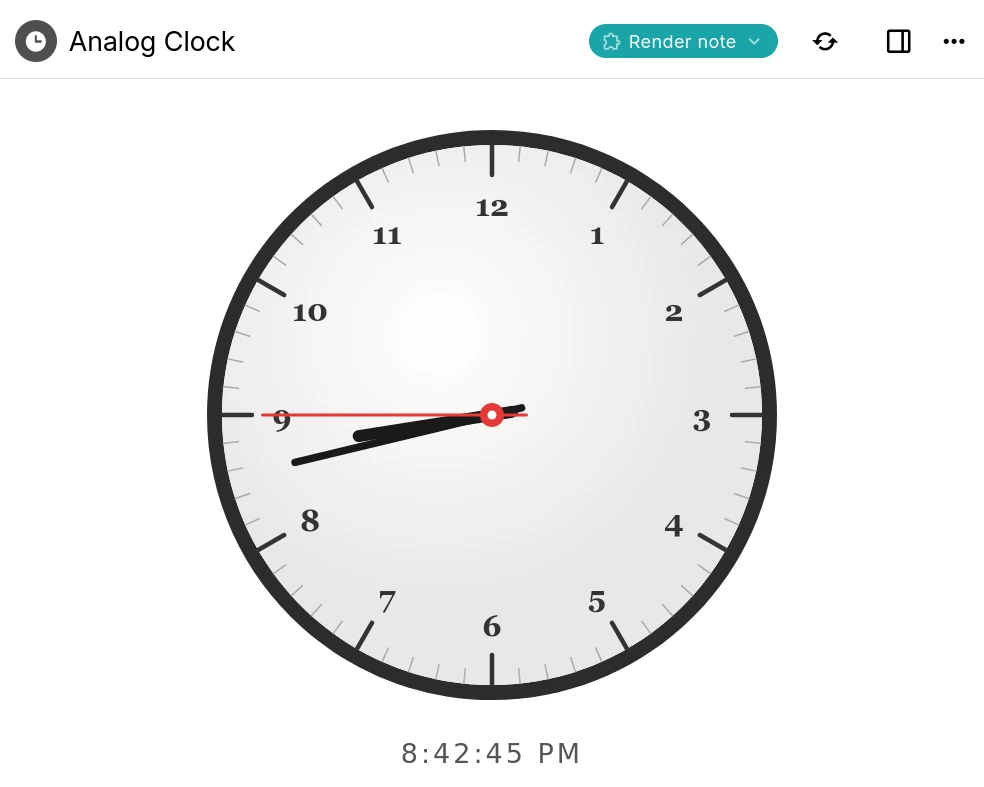
A Trilium render note displaying an interactive analog clock built with a script

Custom widgets

Add your own buttons, panels and launcher widgets to Trilium's interface using frontend JavaScript.

Backend scripts & events

Run server-side scripts on a schedule or in response to events such as creating or changing a note.

Render notes

Build interactive dashboards and mini-apps that render right inside a note, like the clock shown here.

Script API

A typed API for notes, branches, attributes and search, available to both frontend and backend scripts.

AI on your terms

Optional, and entirely on your terms. AI features are opt-in and disabled by default: your notes are never sent anywhere unless you enable them and connect your own provider.
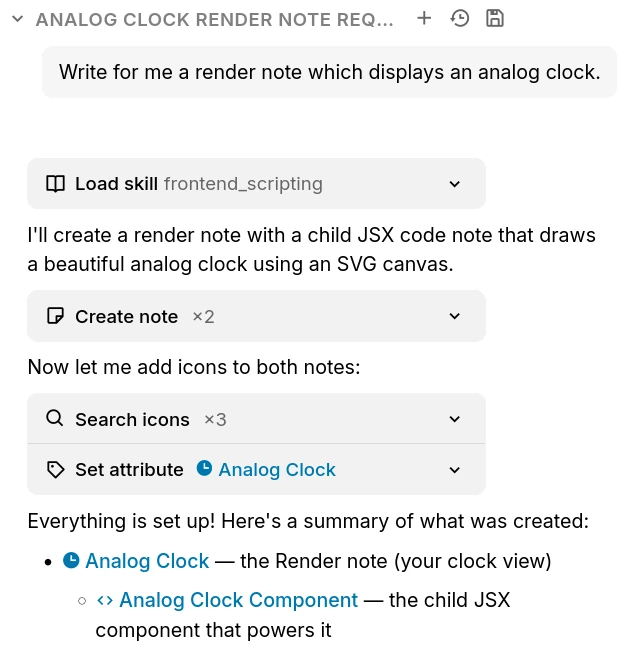
The Trilium AI chat creating notes on your behalf through built-in tools

Chat with your notes

Ask questions and brainstorm in a built-in chat that can draw on the content of your own notes.

AI that works with your notes

Let an assistant search, create and update notes on your behalf through a set of built-in tools.

Your provider, your keys

Connect OpenAI, Anthropic or Google with your own API key, or point Trilium at a self-hosted, OpenAI-compatible model. Expose your notes to external assistants over MCP.

الاسئلة المتكررة

Is Trilium free?
Yes, completely. Trilium is free and open-source under the AGPL-3.0 license, with no paid tiers, accounts or feature paywalls. You're free to use, self-host and modify it however you like.
هل يوجد تطبيق للهواتف المحمولة؟
حاليًا لا يوجد تطبيق رسمي للهواتف المحمولة. ومع ذلك، إذا كان لديك نسخة خادم، يمكنك الوصول إليه باستخدام متصفح الويب وحتى تثبيته كتطبيق ويب تقدمي (PWA). بالنسبة لنظام Android، يوجد تطبيق غير رسمي يسمى TriliumDroid يعمل حتى بدون اتصال بالإنترنت (مثل تطبيق سطح المكتب).
هل أحتاج إلى خادم لاستخدام Trilium؟
لا، الخادم يتيح الوصول عبر متصفح الويب ويدير المزامنة إذا كان لديك عدة أجهزة. للبدء، يكفي تنزيل تطبيق سطح المكتب والبدء في استخدامه.
Is there a hosted or cloud version?
Not an official one yet, though it's something we'd like to offer in the future. For now Trilium is self-hosted: run the desktop app, or host the server yourself. If you'd rather not manage a server, third-party providers such as PikaPods offer managed Trilium hosting.
Can multiple people collaborate on the same notes?
Trilium is designed as a single-user application. You can sync your own notes across all of your devices, and publish read-only notes to the web for others to view, but real-time multi-user editing of the same notes isn't supported.
أين يتم تخزين البيانات؟
سيتم تخزين جميع ملاحظاتك في قاعدة بيانات SQLite داخل مجلد التطبيق. والسبب في استخدام Trilium لقاعدة بيانات بدل الملفات النصية هو الأداء، ولأن بعض الميزات سيكون من الصعب تنفيذها مثل الاستنساخ (وجود نفس الملاحظة في عدة أماكن داخل الشجرة). لمعرفة موقع مجلد التطبيق، يمكنك ببساطة الذهاب إلى نافذة "حول".
ما مدى قدرة التطبيق على التوسع مع عدد كبير من الملاحظات؟
اعتمادًا على الاستخدام، يجب أن يكون التطبيق قادرًا على التعامل مع ما لا يقل عن 100,000 ملاحظة دون مشاكل. يُرجى ملاحظة أن عملية المزامنة قد تفشل أحيانًا عند رفع عدد كبير من الملفات الكبيرة (1 جيجابايت لكل ملف)، لأن Trilium مخصص أكثر ليكون قاعدة معرفة وليس مخزنًا للملفات (مثل NextCloud على سبيل المثال).
هل يمكنني مشاركة قاعدة البيانات عبر محرك أقراص شبكي؟
لا، عادةً لا يُنصح بمشاركة قاعدة بيانات SQLite عبر محرك أقراص شبكي. رغم أنه قد يعمل أحيانًا، إلا أن هناك احتمالًا لتلف قاعدة البيانات بسبب عدم كمال آليات قفل الملفات عبر الشبكة.
كيف يتم حماية بياناتي؟
افتراضيًا، لا تكون الملاحظات مشفّرة ويمكن قراءتها مباشرة من قاعدة البيانات. وعند وضع علامة على ملاحظة بأنها مشفّرة، يتم تشفيرها باستخدام خوارزمية AES-128-CBC.

Still have questions? Ask the community

هل أنت مستعد للبدء باستخدام Trilium Notes؟

أنشئ قاعدة معرفية شخصية بميزات قوية وخصوصية كاملة.