Organiza tus ideas. Construye tu propia base de conocimiento personal.

Trilium es una aplicación de código abierto para tomar notas y organizar tu base de conocimiento personal. Puedes usarla localmente en tu escritorio o sincronizarla con tu propio servidor para tener tus notas disponibles en cualquier lugar.

AGPL-3.0 licensedNo account neededWorks offline

Organización

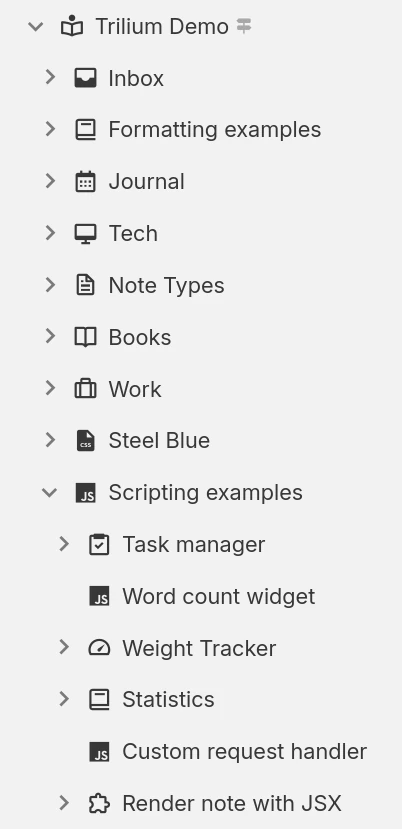
Hierarchical note tree in Trilium

Estructura de notas

Las notas se pueden organizar de forma jerárquica. No necesitas carpetas, ya que cada nota puede contener subnotas. Una misma nota puede añadirse en varios lugares de la jerarquía.

Etiquetas de notas y relaciones

Puedes establecer relaciones entre notas o añadir etiquetas para categorizarlas más fácilmente. Los atributos promovidos te permiten ingresar información estructurada, que luego puedes usar en tablas o tableros.

Espacios de trabajo y organización jerárquica

Se pueden separar fácilmente tus notas personales y de trabajo agrupándolas en un espacio de trabajo, lo que centra el árbol de notas en mostrar únicamente un conjunto específico de ellas.

Productividad y seguridad

Sincronización

Usa una instancia propia o en la nube para sincronizar fácilmente tus notas entre varios dispositivos y acceder a ellas desde el móvil mediante una PWA.

Búsqueda potente

O busca texto dentro de las notas y acota la búsqueda filtrando por la nota principal o por nivel de profundidad.

Revisiones de notas

Las notas se guardan automáticamente en segundo plano y las revisiones te permiten revisarlas o deshacer cambios accidentales. También se pueden crear revisiones manualmente cuando se necesite.

Notas protegidas

Protege información personal sensible cifrando las notas y bloqueándolas dentro de una sesión protegida con contraseña.

Templates

Define reusable note templates with a preset structure, attributes and content, then create new notes from them in a click.

Clipper web

Captura páginas web (o capturas de pantalla) y agrégalas directamente a Trilium usando la extensión del "Clipper web" para el navegador.

Share notes on the web

If you have a server, publish any subtree of your notes as a public, read-only website that anyone can browse without an account.

Secure sign-in

Protect your server login with multi-factor authentication (TOTP), or sign in through your identity provider with OpenID Connect.

REST API

Read, create and update your notes programmatically over HTTP with Trilium's built-in REST API, ideal for automations and third-party integrations.

Múltiples formas de representar su información

Not everything fits neatly into a paragraph. Trilium offers a range of note types, from rich text and code to spreadsheets, diagrams and mind maps, so you can capture each idea in the form that suits it best and mix them freely throughout your tree.

Notas tipo texto

Notas tipo texto

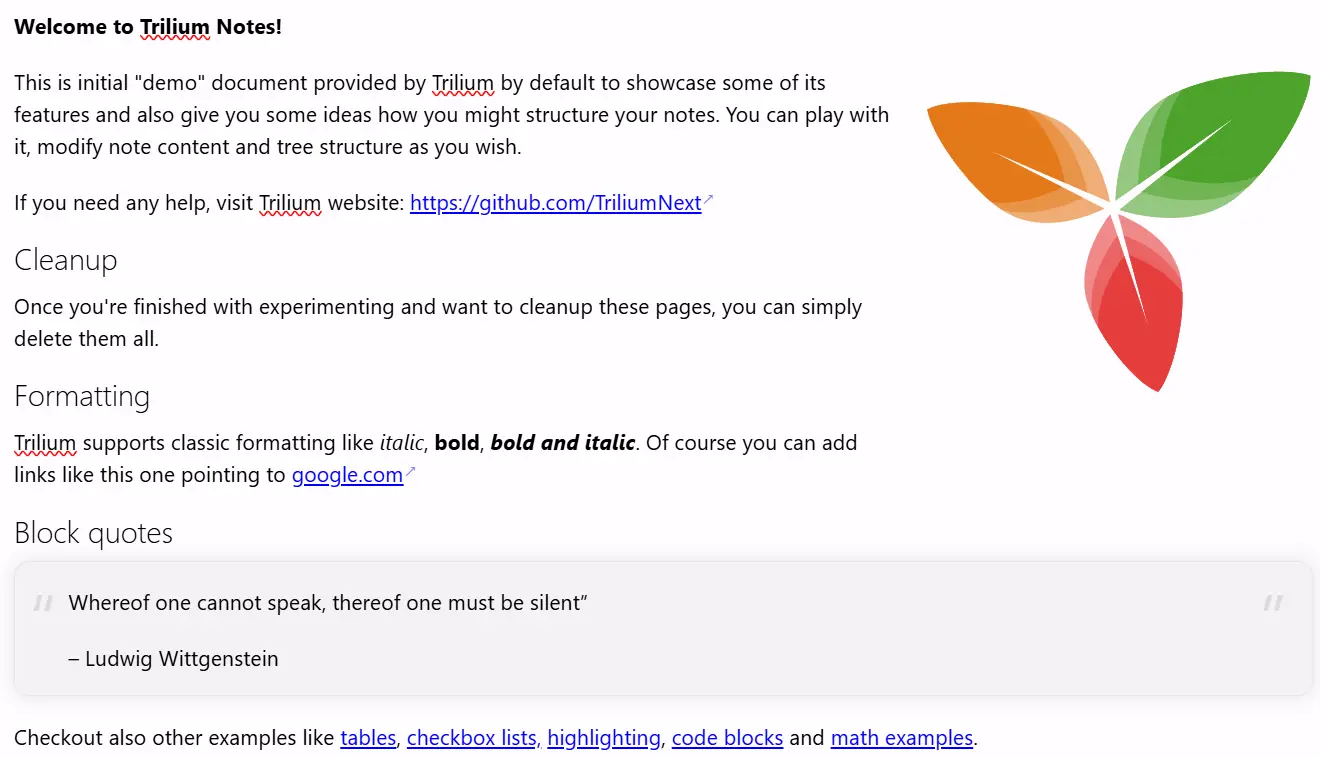
Las notas se editan con un editor visual (WYSIWYG), con soporte para tablas, imágenes, expresiones matemáticas y bloques de código con resaltado de sintaxis. Puedes formatear rápidamente el texto usando una sintaxis similar a Markdown o mediante comandos con barra (/).

Your notes are never locked in

Your notes are yours to move freely. Bring them in from other apps, take them back out in open formats, or turn them into polished documents, whenever you like.

Import

Pull your notes in from other apps with their structure intact, or import standard Markdown, HTML and OPML files.
Imports directly from

Export

Take any note or your entire tree back out in an open, portable format at any time:
  • Markdown for portable plain text
  • HTML for self-contained pages
  • OPML for outlines

Print to PDF

Turn your notes into a polished, book-like PDF:
  • A single note
  • An entire subtree, kept in order
  • Ready to print or share

Colecciones

Collections give a group of notes a purpose-built view. Display the very same notes as a calendar, a table, a Kanban board, an interactive map and more, then switch between layouts whenever your needs change.
Calendario

Calendario

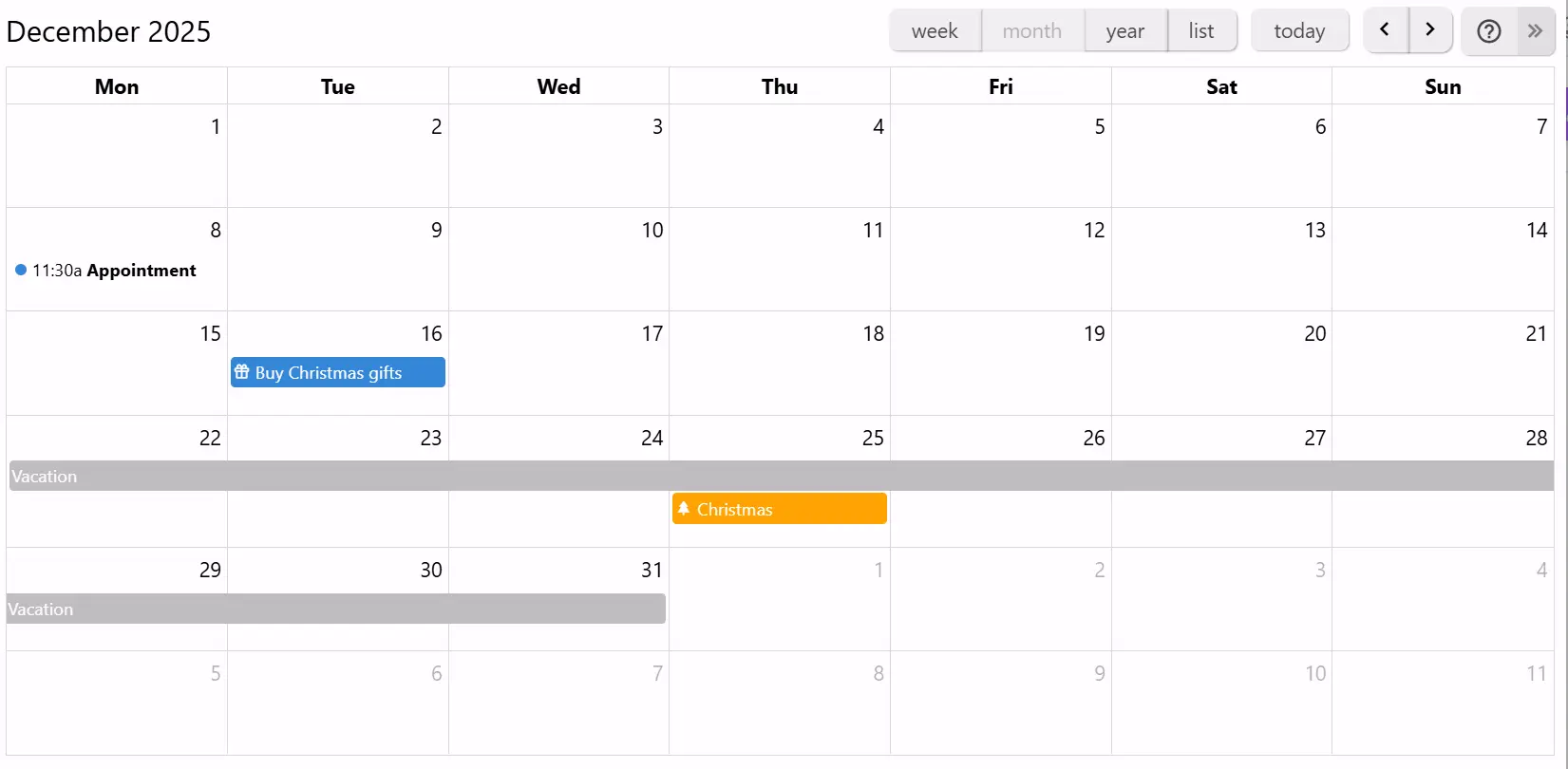
Organiza tus eventos personales o profesionales en un calendario, con soporte para eventos de todo el día o de varios días. Consulta tus eventos rápidamente con las vistas semanal, mensual y anual. Añade o mueve eventos de forma sencilla.

If you can imagine it, you can script it

Trilium isn't just a place to store notes, it's programmable. Write JavaScript that runs in the app or on the server, build your own interface, and automate your workflows, from a one-line tweak to a full custom app.
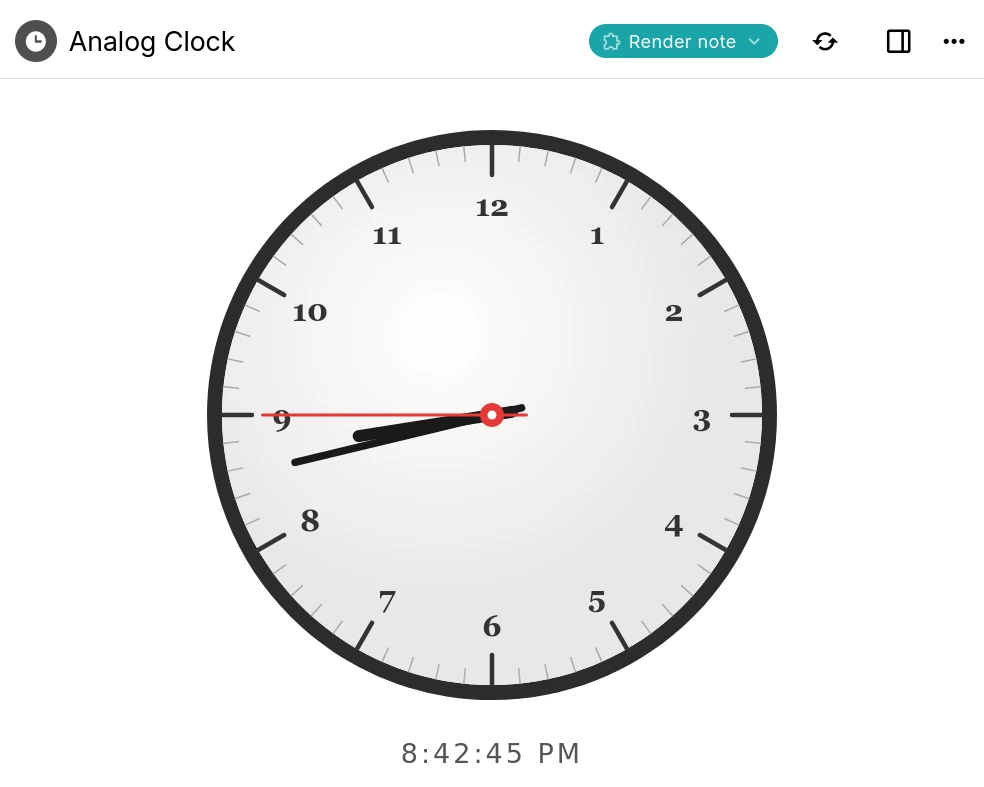
A Trilium render note displaying an interactive analog clock built with a script

Custom widgets

Add your own buttons, panels and launcher widgets to Trilium's interface using frontend JavaScript.

Backend scripts & events

Run server-side scripts on a schedule or in response to events such as creating or changing a note.

Render notes

Build interactive dashboards and mini-apps that render right inside a note, like the clock shown here.

Script API

A typed API for notes, branches, attributes and search, available to both frontend and backend scripts.

AI on your terms

Optional, and entirely on your terms. AI features are opt-in and disabled by default: your notes are never sent anywhere unless you enable them and connect your own provider.
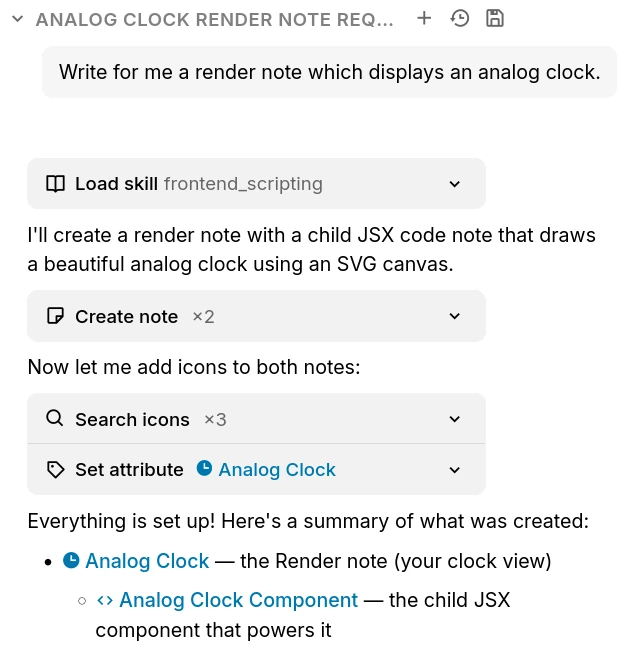
The Trilium AI chat creating notes on your behalf through built-in tools

Chat with your notes

Ask questions and brainstorm in a built-in chat that can draw on the content of your own notes.

AI that works with your notes

Let an assistant search, create and update notes on your behalf through a set of built-in tools.

Your provider, your keys

Connect OpenAI, Anthropic or Google with your own API key, or point Trilium at a self-hosted, OpenAI-compatible model. Expose your notes to external assistants over MCP.

Preguntas frecuentes

Is Trilium free?
Yes, completely. Trilium is free and open-source under the AGPL-3.0 license, with no paid tiers, accounts or feature paywalls. You're free to use, self-host and modify it however you like.
¿Existe una aplicación móvil?
Actualmente no hay una aplicación móvil oficial. Sin embargo, si se dispone de una instancia en un servidor, se puede acceder desde un navegador web e incluso instalarla como PWA. Para Android, existe una aplicación no oficial llamada TriliumDroid que funciona incluso sin conexión (igual que un cliente de escritorio).
¿Es necesario un servidor para usar Trilium?
No, el servidor permite acceder desde un navegador web y gestionar la sincronización si se usan varios dispositivos. Para empezar, basta con descargar la aplicación de escritorio y comenzar a usarla.
Is there a hosted or cloud version?
Not an official one yet, though it's something we'd like to offer in the future. For now Trilium is self-hosted: run the desktop app, or host the server yourself. If you'd rather not manage a server, third-party providers such as PikaPods offer managed Trilium hosting.
Can multiple people collaborate on the same notes?
Trilium is designed as a single-user application. You can sync your own notes across all of your devices, and publish read-only notes to the web for others to view, but real-time multi-user editing of the same notes isn't supported.
¿Dónde se almacenan los datos?
Todas las notas se almacenan en una base de datos SQLite dentro de la carpeta de la aplicación. Trilium utiliza una base de datos en lugar de archivos de texto plano por motivos de rendimiento y porque algunas funciones, como los clones (la misma nota en varios lugares del árbol), serían mucho más difíciles de implementar. Para localizar la carpeta de la aplicación, basta con abrir la ventana "Acerca de".
¿Cómo escala la aplicación con una gran cantidad de notas?
Según el uso, la aplicación puede manejar al menos 100.000 notas sin problemas. Hay que tener en cuenta que la sincronización puede fallar al subir muchos archivos grandes (1 GB por archivo), ya que Trilium está pensado como una base de conocimiento y no como un almacenamiento de archivos (como NextCloud, por ejemplo).
¿Puedo compartir mi base de datos a través de una unidad de red?
No, generalmente no es recomendable compartir una base de datos SQLite mediante una unidad de red. Aunque a veces podría funcionar, existe el riesgo de que la base de datos se corrompa debido a bloqueos de archivos imperfectos en la red.
¿Cómo se protegen mis datos?
Por defecto, las notas no están encriptadas y se pueden leer directamente desde la base de datos. Una vez que una nota se marca como encriptada, se cifra usando AES-128-CBC.

Still have questions? Ask the community

¿Listo para empezar con Trilium Notes?

Construye tu propia base de conocimiento con funciones avanzadas y total privacidad.