अपने विचारों को व्यवस्थित करें। अपना व्यक्तिगत नॉलेज बेस बनाएं।

ट्रिलियम नोट्स बनाने और पर्सनल नॉलेज बेस व्यवस्थित करने के लिए एक ओपन-सोर्स समाधान है। इसे अपने डेस्कटॉप पर लोकल रूप से उपयोग करें, या सफर में भी अपने नोट्स साथ रखने के लिए इसे अपने सेल्फ-होस्टेड सर्वर से सिंक करें।

AGPL-3.0 licensedNo account neededWorks offline

ऑर्गेनाइजेशन
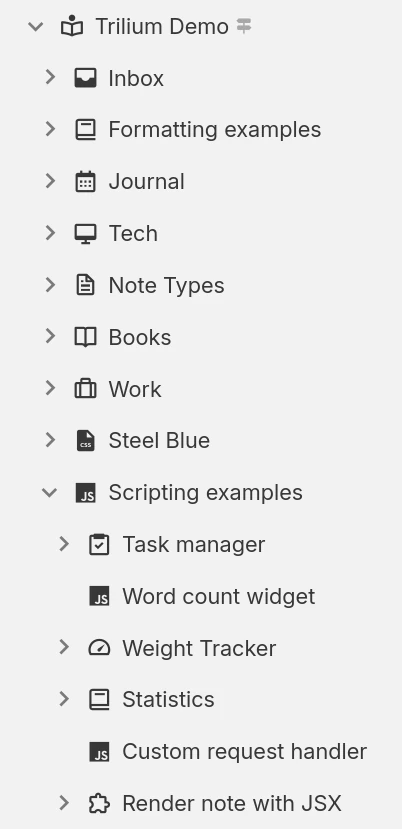
Hierarchical note tree in Trilium

नोट संरचना

नोटों को पदानुक्रमिक रूप से व्यवस्थित किया जा सकता है। फ़ोल्डर्स की कोई आवश्यकता नहीं है, क्योंकि प्रत्येक नोट में उप-नोट हो सकते हैं। एक एकल नोट को पदानुक्रम में कई स्थानों पर जोड़ा जा सकता है।

नोट लेबल्स और रिलेशनशिप

आसान कैटेगराइजेशन के लिए नोट्स के बीच रिलेशन का उपयोग करें या लेबल जोड़ें। स्ट्रक्चर्ड जानकारी दर्ज करने के लिए प्रमोटेड एट्रिब्यूट्स का उपयोग करें जिनका उपयोग टेबल और बोर्ड में किया जा सकता है।

वर्कस्पेस और होस्टिंग

अपने पर्सनल और काम के नोट्स को एक वर्कस्पेस के तहत ग्रुप करके आसानी से अलग करें, जो आपके नोट ट्री को केवल नोट्स का एक विशिष्ट सेट दिखाने के लिए केंद्रित करता है।

प्रोडक्टिविटी और सुरक्षा

सिंक्रोनाइजेशन

मल्टीपल डिवाइसेज पर अपने नोट्स को आसानी से सिंक करने के लिए और मोबाइल फोन पर PWA का उपयोग करके इसे एक्सेस करने के लिए एक सेल्फ-होस्टेड या क्लाउड इंस्टेंस का उपयोग करें।

पॉवरफुल सर्च

या नोट्स के अंदर टेक्स्ट सर्च करें और पैरेंट नोट या डेप्थ (गहराई) के आधार पर फ़िल्टर करके सर्च को सीमित करें।

नोट रिवीजन्स

नोट्स बैकग्राउंड में समय-समय पर सेव होते रहते हैं और गलती से हुए बदलावों को देखने या अनडू (undo) करने के लिए रिवीजन्स का उपयोग किया जा सकता है। जरूरत पड़ने पर भी रिवीजन्स बनाए जा सकते हैं।

संरक्षित नोट्स

नोट्स को एन्क्रिप्ट करके और उन्हें पासवर्ड-प्रोटेक्टेड सेशन के पीछे लॉक करके संवेदनशील व्यक्तिगत जानकारी को सुरक्षित रखें।

Templates

Define reusable note templates with a preset structure, attributes and content, then create new notes from them in a click.

वेब क्लिपर

वेब क्लिपर ब्राउज़र एक्सटेंशन का उपयोग करके वेब पेज (या स्क्रीनशॉट) लें और उन्हें सीधे ट्रिलियम में रखें।

Share notes on the web

If you have a server, publish any subtree of your notes as a public, read-only website that anyone can browse without an account.

Secure sign-in

Protect your server login with multi-factor authentication (TOTP), or sign in through your identity provider with OpenID Connect.

REST API

Read, create and update your notes programmatically over HTTP with Trilium's built-in REST API, ideal for automations and third-party integrations.

अपनी जानकारी को प्रस्तुत करने के कई तरीके

Not everything fits neatly into a paragraph. Trilium offers a range of note types, from rich text and code to spreadsheets, diagrams and mind maps, so you can capture each idea in the form that suits it best and mix them freely throughout your tree.
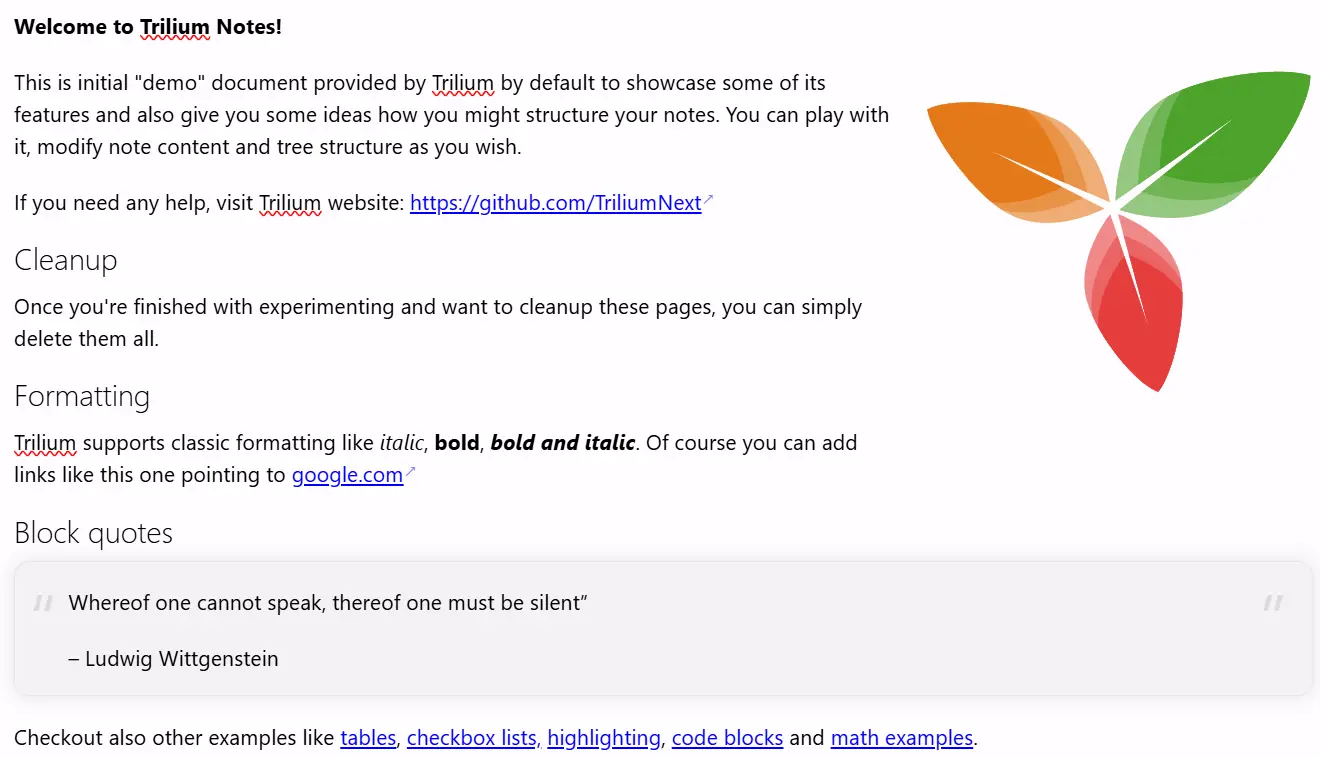
टेक्स्ट नोट्स

टेक्स्ट नोट्स

इन नोट्स को विज़ुअल (WYSIWYG) एडिटर का उपयोग करके एडिट किया जाता है, जिसमें टेबल, इमेज, मैथ एक्सप्रेशंस, सिंटैक्स हाइलाइटिंग के साथ कोड ब्लॉक्स का सपोर्ट मिलता है। मार्कडाउन जैसे सिंटैक्स या स्लैश कमांड्स का उपयोग करके टेक्स्ट को तुरंत फॉर्मेट करें।

Your notes are never locked in

Your notes are yours to move freely. Bring them in from other apps, take them back out in open formats, or turn them into polished documents, whenever you like.

Import

Pull your notes in from other apps with their structure intact, or import standard Markdown, HTML and OPML files.
Imports directly from

Export

Take any note or your entire tree back out in an open, portable format at any time:
  • Markdown for portable plain text
  • HTML for self-contained pages
  • OPML for outlines

Print to PDF

Turn your notes into a polished, book-like PDF:
  • A single note
  • An entire subtree, kept in order
  • Ready to print or share

कलेक्शन्स

Collections give a group of notes a purpose-built view. Display the very same notes as a calendar, a table, a Kanban board, an interactive map and more, then switch between layouts whenever your needs change.
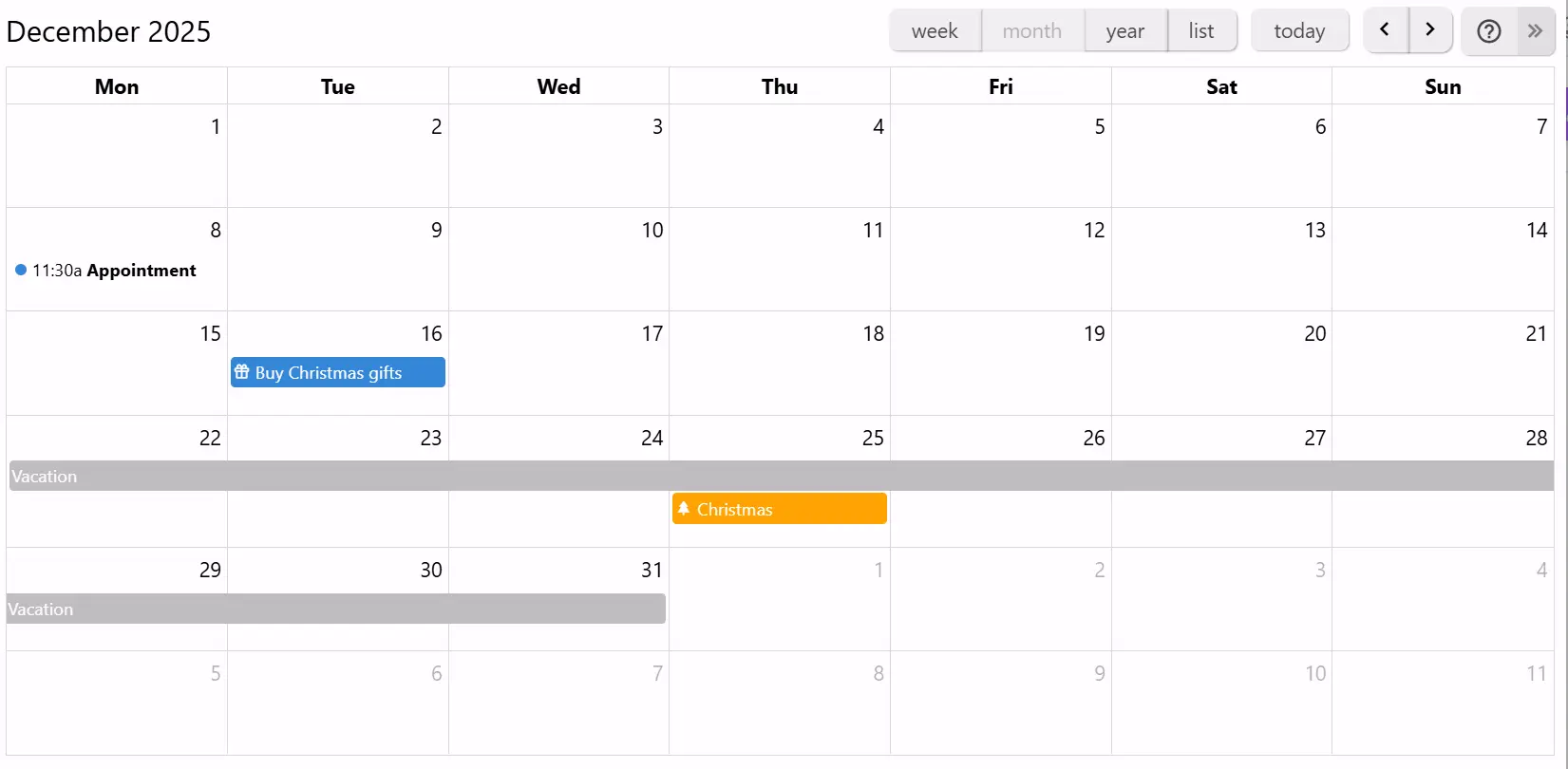
कैलेंडर

कैलेंडर

कैलेंडर का उपयोग करके अपने पर्सनल या प्रोफेशनल इवेंट्स को व्यवस्थित करें, जिसमें पूरे दिन और मल्टी-डे इवेंट्स का सपोर्ट शामिल है। वीक, मंथ और इयर व्यूज के साथ अपने इवेंट्स को एक नज़र में देखें। इवेंट्स को जोड़ने या ड्रैग करने के लिए आसान इंटरैक्शन।

If you can imagine it, you can script it

Trilium isn't just a place to store notes, it's programmable. Write JavaScript that runs in the app or on the server, build your own interface, and automate your workflows, from a one-line tweak to a full custom app.
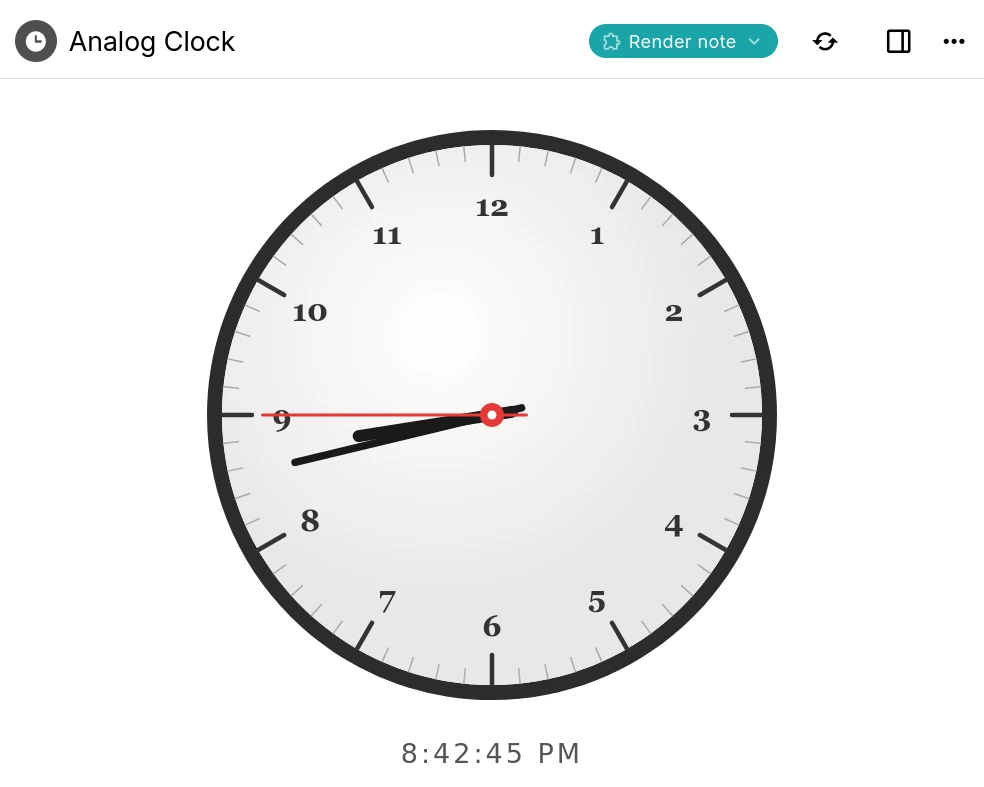
A Trilium render note displaying an interactive analog clock built with a script

Custom widgets

Add your own buttons, panels and launcher widgets to Trilium's interface using frontend JavaScript.

Backend scripts & events

Run server-side scripts on a schedule or in response to events such as creating or changing a note.

Render notes

Build interactive dashboards and mini-apps that render right inside a note, like the clock shown here.

Script API

A typed API for notes, branches, attributes and search, available to both frontend and backend scripts.

AI on your terms

Optional, and entirely on your terms. AI features are opt-in and disabled by default: your notes are never sent anywhere unless you enable them and connect your own provider.
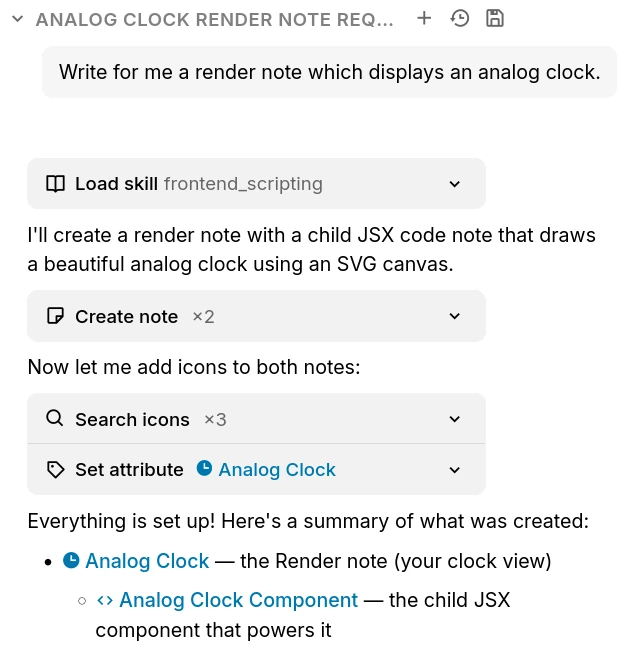
The Trilium AI chat creating notes on your behalf through built-in tools

Chat with your notes

Ask questions and brainstorm in a built-in chat that can draw on the content of your own notes.

AI that works with your notes

Let an assistant search, create and update notes on your behalf through a set of built-in tools.

Your provider, your keys

Connect OpenAI, Anthropic or Google with your own API key, or point Trilium at a self-hosted, OpenAI-compatible model. Expose your notes to external assistants over MCP.

अक्सर पूछे जाने वाले प्रश्न

Is Trilium free?
Yes, completely. Trilium is free and open-source under the AGPL-3.0 license, with no paid tiers, accounts or feature paywalls. You're free to use, self-host and modify it however you like.
क्या कोई मोबाइल एप्लिकेशन है?
वर्तमान में कोई आधिकारिक मोबाइल एप्लिकेशन नहीं है। हालांकि, यदि आपके पास एक सर्वर इंस्टेंस है तो आप इसे वेब ब्राउज़र का उपयोग करके एक्सेस कर सकते हैं और इसे PWA के रूप में इंस्टॉल भी कर सकते हैं। एंड्रॉइड के लिए, ट्रिलियमड्रॉइड (TriliumDroid) नाम का एक अनौपचारिक एप्लिकेशन है जो ऑफलाइन भी काम करता है (डेस्कटॉप क्लाइंट की तरह ही)।
क्या ट्रिलियम का उपयोग करने के लिए मुझे सर्वर की आवश्यकता है?
नहीं, सर्वर वेब ब्राउज़र के माध्यम से एक्सेस की अनुमति देता है और यदि आपके पास कई डिवाइसेज हैं तो सिंक्रोनाइजेशन को मैनेज करता है। शुरू करने के लिए, डेस्कटॉप एप्लिकेशन डाउनलोड करना और उसका उपयोग शुरू करना ही काफी है।
Is there a hosted or cloud version?
Not an official one yet, though it's something we'd like to offer in the future. For now Trilium is self-hosted: run the desktop app, or host the server yourself. If you'd rather not manage a server, third-party providers such as PikaPods offer managed Trilium hosting.
Can multiple people collaborate on the same notes?
Trilium is designed as a single-user application. You can sync your own notes across all of your devices, and publish read-only notes to the web for others to view, but real-time multi-user editing of the same notes isn't supported.
डेटा कहाँ स्टोर होता है?
आपके सभी नोट्स एप्लिकेशन फ़ोल्डर में एक SQLite डेटाबेस में स्टोर किए जाएंगे। ट्रिलियम सादे टेक्स्ट फाइलों के बजाय डेटाबेस का उपयोग क्यों करता है, इसका कारण परफॉर्मेंस और कुछ फीचर्स हैं जिन्हें लागू करना बहुत कठिन होगा जैसे कि क्लोन (पेड़ में कई स्थानों पर एक ही नोट)। एप्लिकेशन फ़ोल्डर खोजने के लिए, बस About (एप्लिकेशन के बारे में) विंडो पर जाएं।
बड़ी संख्या में नोट्स होने पर एप्लिकेशन कितनी अच्छी तरह स्केल करता है?
उपयोग के आधार पर, एप्लिकेशन बिना किसी समस्या के कम से कम 100,000 नोट्स को संभालने में सक्षम होना चाहिए। ध्यान दें कि कई बड़ी फ़ाइलें (प्रति फ़ाइल 1 GB) अपलोड करने पर सिंक प्रोसेस कभी-कभी विफल हो सकती है क्योंकि ट्रिलियम का उद्देश्य फ़ाइल स्टोर (जैसे कि NextCloud, उदाहरण के लिए) के बजाय एक नॉलेज बेस एप्लिकेशन के रूप में अधिक है।
क्या मैं अपने डेटाबेस को नेटवर्क ड्राइव पर शेयर कर सकता हूँ?
नहीं, नेटवर्क ड्राइव पर SQLite डेटाबेस को शेयर करना आमतौर पर एक अच्छा विचार नहीं है। हालांकि कभी-कभी यह काम कर सकता है, लेकिन नेटवर्क पर अपूर्ण फ़ाइल लॉक के कारण डेटाबेस के दूषित होने की संभावना होती है।
मेरा डेटा कैसे सुरक्षित रहता है?
डिफ़ॉल्ट रूप से, नोट्स एन्क्रिप्टेड नहीं होते हैं और उन्हें सीधे डेटाबेस से पढ़ा जा सकता है। एक बार नोट को एन्क्रिप्टेड के रूप में चिह्नित करने के बाद, नोट को AES-128-CBC का उपयोग करके एन्क्रिप्ट किया जाता है।

Still have questions? Ask the community

क्या आप ट्रिलियम नोट्स के साथ शुरुआत करने के लिए तैयार हैं?

पॉवरफुल फीचर्स और पूरी प्राइवेसी के साथ अपना पर्सनल नॉलेज बेस बनाएं।