Organizza i tuoi pensieri. Costruisci la tua conoscenza personale.

Trilium è una soluzione open source per prendere appunti e organizzare una base di conoscenze personali. Utilizzalo localmente sul tuo desktop o sincronizzalo con il tuo server self-hosted per avere i tuoi appunti sempre con te, ovunque tu vada.

AGPL-3.0 licensedNo account neededWorks offline

Organizzazione

Hierarchical note tree in Trilium

Struttura della nota

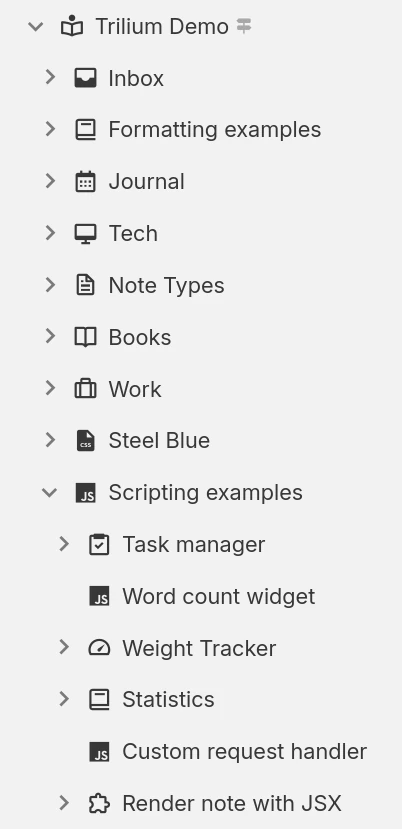
Le note possono essere organizzate gerarchicamente. Non sono necessarie cartelle, poiché ogni nota può contenere sottonote. Una singola nota può essere aggiunta in più punti della gerarchia.

Nota etichette e relazioni

Utilizza le relazioni tra le note o aggiungi etichette per una facile categorizzazione. Utilizza gli attributi promossi per inserire informazioni strutturate che possono essere utilizzate in tabelle e bacheche.

Aree di lavoro e ancoraggi

Separa facilmente le tue note personali da quelle di lavoro raggruppandole in un'area di lavoro, che concentra la struttura delle note in modo da mostrare solo un insieme specifico di note.

Produttività e sicurezza

Sincronizzazione

Utilizza un'istanza self-hosted o cloud per sincronizzare facilmente le tue note su più dispositivi e accedervi dal tuo cellulare utilizzando una PWA.

Ricerca avanzata

Oppure cerca del testo all'interno delle note e restringi la ricerca filtrando per nota principale o per profondità.

Nota sulle revisioni

Le note vengono salvate periodicamente in background e le revisioni possono essere utilizzate per la revisione o per annullare modifiche accidentali. Le revisioni possono anche essere create su richiesta.

Note protette

Proteggi le informazioni personali sensibili crittografando le note e bloccandole dietro una sessione protetta da password.

Templates

Define reusable note templates with a preset structure, attributes and content, then create new notes from them in a click.

Web clipper

Cattura pagine web (o screenshot) e inseriscile direttamente in Trilium utilizzando l'estensione del browser Web Clipper.

Share notes on the web

If you have a server, publish any subtree of your notes as a public, read-only website that anyone can browse without an account.

Secure sign-in

Protect your server login with multi-factor authentication (TOTP), or sign in through your identity provider with OpenID Connect.

REST API

Read, create and update your notes programmatically over HTTP with Trilium's built-in REST API, ideal for automations and third-party integrations.

Diversi modi per rappresentare le tue informazioni

Not everything fits neatly into a paragraph. Trilium offers a range of note types, from rich text and code to spreadsheets, diagrams and mind maps, so you can capture each idea in the form that suits it best and mix them freely throughout your tree.

Note di testo

Note di testo

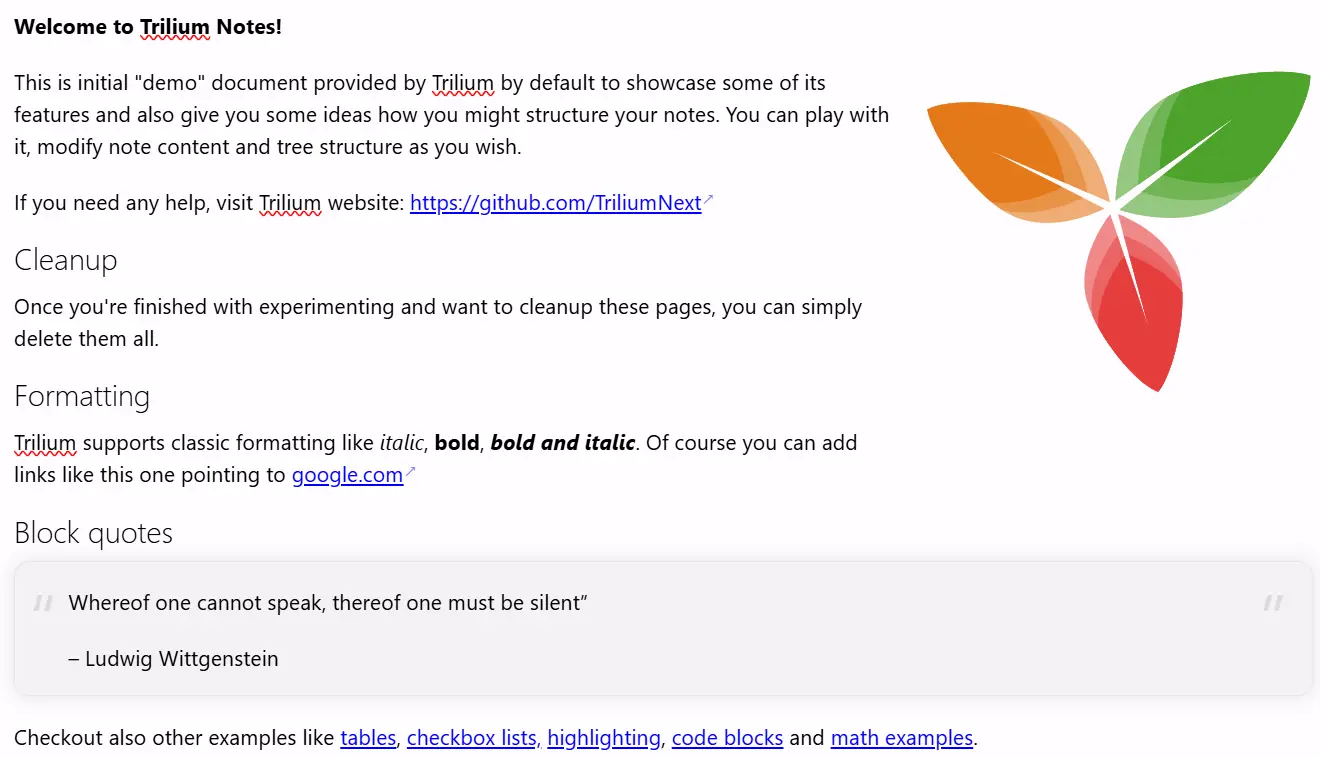
Le note vengono modificate utilizzando un editor visivo (WYSIWYG), con supporto per tabelle, immagini, espressioni matematiche, blocchi di codice con evidenziazione della sintassi. Formatta rapidamente il testo utilizzando una sintassi simile a Markdown o utilizzando comandi slash.

Your notes are never locked in

Your notes are yours to move freely. Bring them in from other apps, take them back out in open formats, or turn them into polished documents, whenever you like.

Import

Pull your notes in from other apps with their structure intact, or import standard Markdown, HTML and OPML files.
Imports directly from

Export

Take any note or your entire tree back out in an open, portable format at any time:
  • Markdown for portable plain text
  • HTML for self-contained pages
  • OPML for outlines

Print to PDF

Turn your notes into a polished, book-like PDF:
  • A single note
  • An entire subtree, kept in order
  • Ready to print or share

Collezioni

Collections give a group of notes a purpose-built view. Display the very same notes as a calendar, a table, a Kanban board, an interactive map and more, then switch between layouts whenever your needs change.

Calendario

Calendario

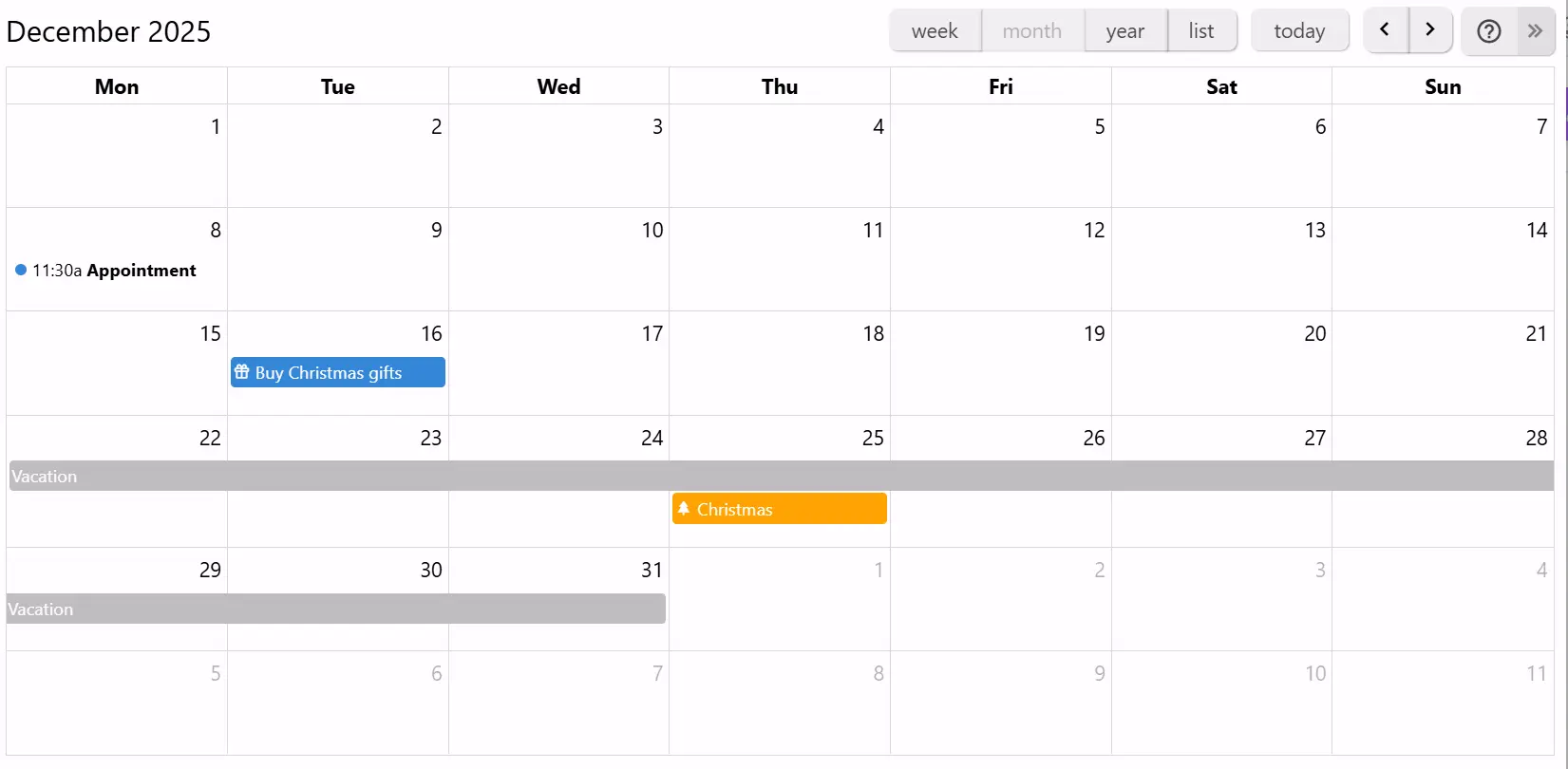
Organizza i tuoi eventi personali o professionali utilizzando un calendario, con supporto per eventi di un giorno intero o di più giorni. Visualizza i tuoi eventi a colpo d'occhio con le viste settimanale, mensile e annuale. Interazione semplice per aggiungere o trascinare eventi.

If you can imagine it, you can script it

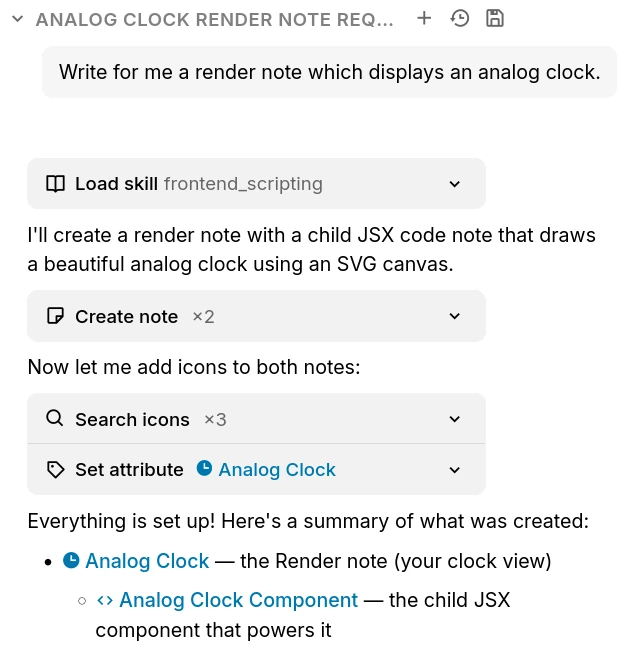
Trilium isn't just a place to store notes, it's programmable. Write JavaScript that runs in the app or on the server, build your own interface, and automate your workflows, from a one-line tweak to a full custom app.

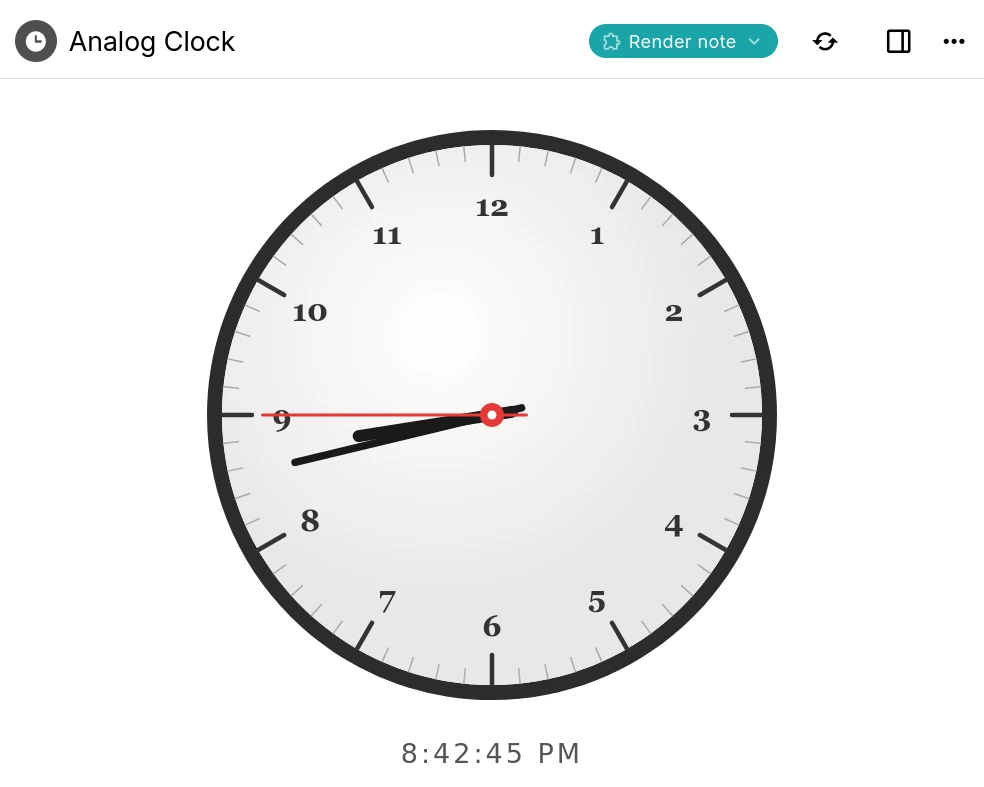
A Trilium render note displaying an interactive analog clock built with a script

Custom widgets

Add your own buttons, panels and launcher widgets to Trilium's interface using frontend JavaScript.

Backend scripts & events

Run server-side scripts on a schedule or in response to events such as creating or changing a note.

Render notes

Build interactive dashboards and mini-apps that render right inside a note, like the clock shown here.

Script API

A typed API for notes, branches, attributes and search, available to both frontend and backend scripts.

AI on your terms

Optional, and entirely on your terms. AI features are opt-in and disabled by default: your notes are never sent anywhere unless you enable them and connect your own provider.

The Trilium AI chat creating notes on your behalf through built-in tools

Chat with your notes

Ask questions and brainstorm in a built-in chat that can draw on the content of your own notes.

AI that works with your notes

Let an assistant search, create and update notes on your behalf through a set of built-in tools.

Your provider, your keys

Connect OpenAI, Anthropic or Google with your own API key, or point Trilium at a self-hosted, OpenAI-compatible model. Expose your notes to external assistants over MCP.

Domande frequenti

Is Trilium free?
Yes, completely. Trilium is free and open-source under the AGPL-3.0 license, with no paid tiers, accounts or feature paywalls. You're free to use, self-host and modify it however you like.
Esiste un'applicazione mobile?
Al momento non esiste un'applicazione mobile ufficiale. Tuttavia, se disponi di un'istanza server, puoi accedervi utilizzando un browser web e persino installarla come PWA. Per Android, esiste un'applicazione non ufficiale chiamata TriliumDroid che funziona anche offline (come un client desktop).
Ho bisogno di un server per usare Trilium?
No, il server consente l'accesso tramite un browser web e gestisce la sincronizzazione se si dispone di più dispositivi. Per iniziare, è sufficiente scaricare l'applicazione desktop e iniziare a utilizzarla.
Is there a hosted or cloud version?
Not an official one yet, though it's something we'd like to offer in the future. For now Trilium is self-hosted: run the desktop app, or host the server yourself. If you'd rather not manage a server, third-party providers such as PikaPods offer managed Trilium hosting.
Can multiple people collaborate on the same notes?
Trilium is designed as a single-user application. You can sync your own notes across all of your devices, and publish read-only notes to the web for others to view, but real-time multi-user editing of the same notes isn't supported.
Dove vengono archiviati i dati?
Tutte le tue note saranno archiviate in un database SQLite nella cartella dell'applicazione. Il motivo per cui Trilium utilizza un database anziché file di testo semplice è sia una questione di prestazioni sia perché alcune funzionalità sarebbero molto più difficili da implementare, come i cloni (stessa nota in più punti dell'albero). Per trovare la cartella dell'applicazione, basta andare alla finestra Informazioni.
Quanto è scalabile l'applicazione con una grande quantità di note?
A seconda dell'utilizzo, l'applicazione dovrebbe essere in grado di gestire almeno 100.000 note senza problemi. Si noti che il processo di sincronizzazione a volte può fallire se si caricano molti file di grandi dimensioni (1 GB per file), poiché Trilium è concepito più come un'applicazione di knowledge base che come un archivio di file (come NextCloud, ad esempio).
Posso condividere il mio database su un'unità di rete?
No, in genere non è una buona idea condividere un database SQLite su un'unità di rete. Anche se a volte potrebbe funzionare, c'è il rischio che il database venga danneggiato a causa di blocchi dei file imperfetti sulla rete.
Come vengono protetti i miei dati?
Per impostazione predefinita, le note non sono crittografate e possono essere lette direttamente dal database. Una volta contrassegnata come crittografata, la nota viene crittografata utilizzando AES-128-CBC.

Still have questions? Ask the community

Pronti per iniziare con Trilium Notes?

Costruisci la tua conoscenza personale con potenti funzionalità e privacy totale.